 Tetrate Patch ServiceVersion: alpha
Accessing the Patch Service
Tetrate Patch Service is hosted by Tetrate: there is nothing to install before you connect your first cluster. Tetrate provisions your organization's account and invites its users by email; you sign in and the console is ready.
A Tour of the Console
The sidebar is the whole navigation. From top to bottom:
- Clusters is the view you land on after signing in. It lists every connected cluster with its last report time and open CVE count; see Viewing Your Clusters.
- CVEs collects the open CVE findings across your fleet, grouped by image or listed one by one. The view is read-only by design: Tetrate owns remediation. See Monitoring Vulnerabilities.
- Cloud Accounts connects an AWS account so the Patch Service can discover its clusters and install the agent across them; Google Cloud and Azure show as coming soon. See Connecting an AWS Account.
- AWS Subscription shows the AWS Marketplace purchase your organization is billed through: the AWS account that bought it and its license. It appears only for organizations that subscribed through AWS Marketplace. Manage or cancel the subscription from Your Marketplace Software in the AWS console; the page links to Tetrate support for billing questions.
- My Repo opens your private GitOps repository on GitHub in a new tab. The link appears once Tetrate provisions the managed data plane for your organization, and every user in your customer has read access to the repository automatically. See Working with Your Repository.
- Download CLI opens a dialog with
tetrateCLI builds for macOS and Linux. The CLI connects clusters from your terminal; see Installing the Tetrate CLI.
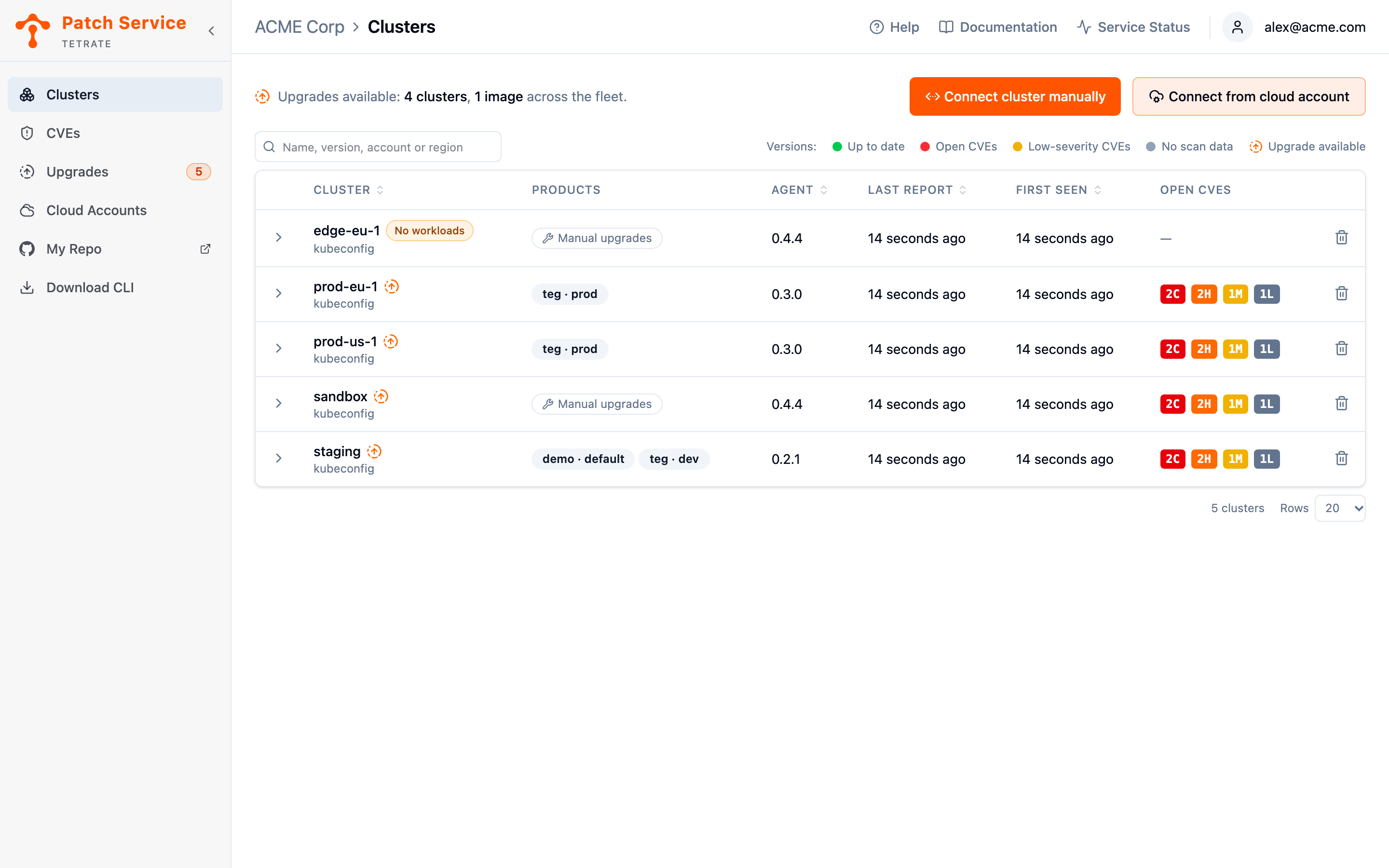
The Clusters view also carries the two connection entry points, Connect cluster manually and Connect from cloud account; both routes are covered in Connecting Clusters.
Next Steps
- Install the
tetrateCLI once you can sign in: connecting your first cluster starts there. - Connect your first cluster when the CLI is on your machine and your kubeconfig points at the cluster.
- Read Clusters and the Agent first if you want to know what the agent watches and reports before installing anything.