 Tetrate Patch ServiceVersion: alpha
Installing the Tetrate CLI
The tetrate CLI is the primary way to connect clusters to Tetrate Patch Service. The binary is self-contained and embeds everything it needs, so the machine you run it on does not need kubectl, helm, or git. Installing it takes a download from the console, one move onto your PATH, and on macOS one extra command.
If you cannot run a downloaded binary on your machine, you can still connect clusters: the Connect Cluster page in the console includes a collapsed Manual connection section with the same procedure as copy-paste blocks. See Connecting a Cluster Manually.
Downloading the CLI
The CLI is distributed through the console rather than a public release page, so every download link is short-lived and tied to your signed-in session.
-
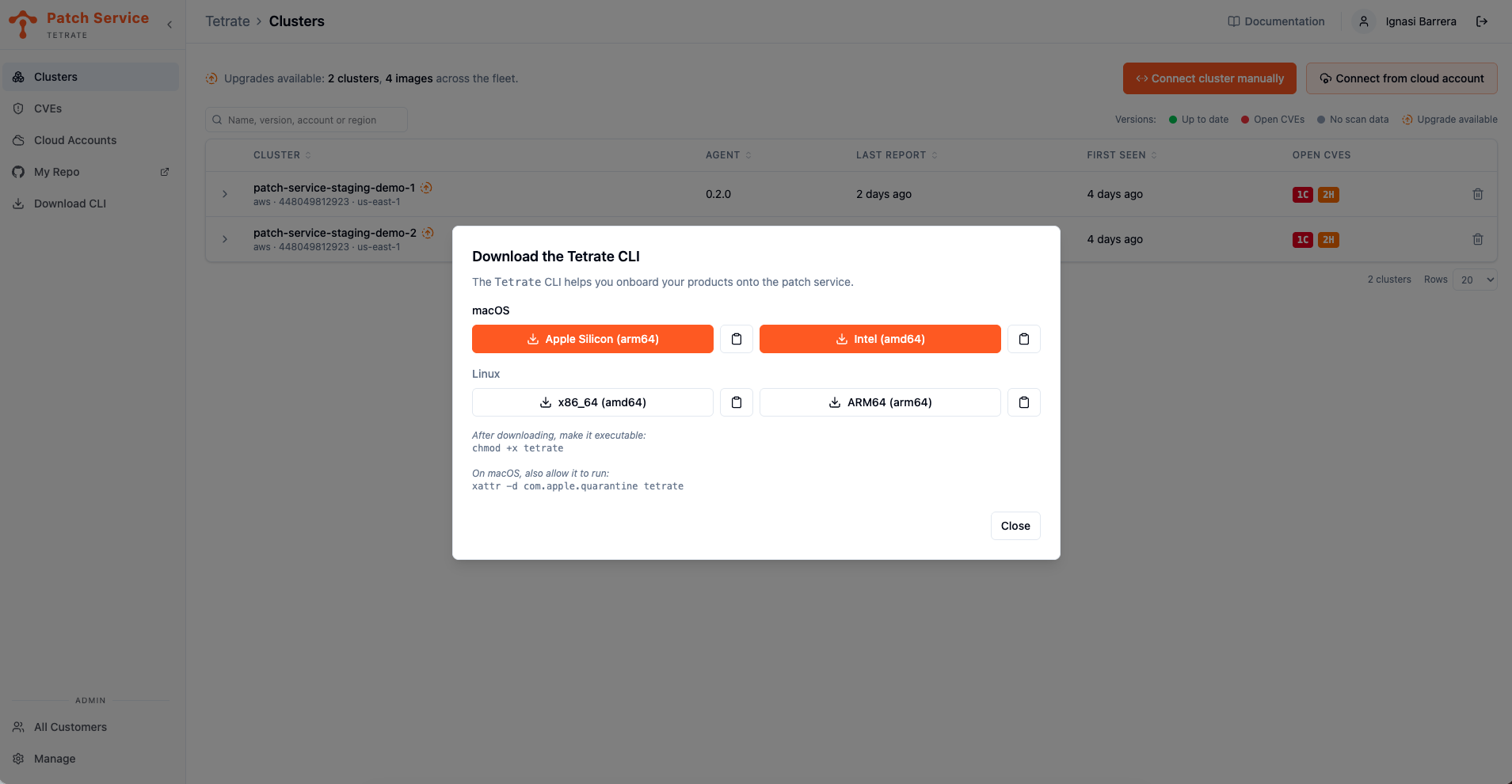
Click Download CLI in the sidebar. The Download the Tetrate CLI dialog opens, offering builds for both macOS and Linux with your operating system listed first.
-
Pick the build for your machine: on macOS, Apple Silicon (arm64) or Intel (amd64); on Linux, x86_64 (amd64) or ARM64 (arm64). Your browser downloads the
tetratebinary. -
Make the binary executable and move it onto your
PATH, for example:chmod +x tetrate
sudo mv tetrate /usr/local/bin/
Upgrading works the same way later: download the new build from this dialog and replace the binary on your PATH.
macOS: Allow the Binary to Run
macOS refusing to run the binary the first time is expected. The macOS builds are not notarized, and macOS quarantines anything a browser downloads, so the system blocks the CLI until you clear the quarantine flag. The download dialog shows the command; run it in the directory you downloaded the binary to:
xattr -d com.apple.quarantine tetrate
If you already moved the binary onto your PATH, point the command at its new location. A freshly downloaded binary is quarantined again, so repeat this step whenever you download a newer version.
Authentication
Once the CLI is installed, you can authenticate with the login command:
tetrate login
The CLI will automatically detect if the environment can open a browser to trigger the right login mechanism. If you want to force a non-browser based login, you can use the --no-browser flag in any command.
The CLI caches the session per server, so later commands run without prompting you again, and a session for one server is never reused against another.
The first command that needs the API will trigger the sign in process, so authentication happens exactly when a command requires it. Sign in with the same account you use for the console.
Next Steps
- With the CLI installed, connect your first cluster so its running images and CVEs start appearing in the console.
- When you manage many clusters or need to script the process, connect clusters in bulk using the multi-cluster selection and the flags for unattended runs.
- Look up every command and flag in the Tetrate CLI reference.
- If the browser sign-in rejects you, check how access works: Tetrate creates accounts by invitation, and there is no self-signup.