 Tetrate Service BridgeVersion: 1.14.x
Explainer: How Gateways Work
For background, this page explains the relationship between Tetrate Gateways and Istio Gateways, and how to create a Gateway for an application.
Gateways
Typically, you'll want to arrange for external traffic to reach certain services within a Workspace. To do this, you first deploy a Gateway in each workspace in each cluster. The Application Owner then defines the Gateway rules that expose their services through this Gateway.
Gateway Groups
First, create a Tetrate Gateway Group that is scoped to each workspace and cluster that will host a Gateway. For example, the Bookinfo workspace spans cluster-1 and cluster-2, so you create two Gateway groups for this workspace, one per cluster:
cat <<EOF > bookinfo-gwgroup-cluster-1.yaml
apiVersion: gateway.tsb.tetrate.io/v2
kind: Group
metadata:
  name: bookinfo-gwgroup-cluster-1
  organization: tetrate
  tenant: tetrate
  workspace: bookinfo-ws
spec:
  namespaceSelector:
    names:
      - "cluster-1/bookinfo"
EOF

tctl apply -f bookinfo-gwgroup-cluster-1.yaml
Gateway Deployments
Next, deploy a Gateway in each workspace and cluster that is to receive external traffic:
cat <<EOF > bookinfo-ingress-gw.yaml
apiVersion: install.tetrate.io/v1alpha1
kind: Gateway
metadata:
  name: bookinfo-ingress-gw
  namespace: bookinfo
spec:
  kubeSpec:
    service:
      type: LoadBalancer
EOF

kubectl apply -f bookinfo-ingress-gw.yaml
This step will create an envoy proxy pod in the namespace that will function as a gateway (kubectl get pod -n bookinfo -l app=bookinfo-ingress-gw). Note that this install.tetrate.io gateway creates a resource in a particular cluster, so you use kubectl to deploy the resource. It is different from the gateway.tsb.tetrate.io Gateway Resource that an App Owner later uses to configure routing on this gateway.
Gateways are very lightweight, and running a separate Gateway per Workspace provides isolation for security and fault purposes. For very large deployments, you may wish to share gateways between multiple Workspaces.
The Gateway Resource
A Gateway Resource configures the Gateway to load-balance traffic to your service:
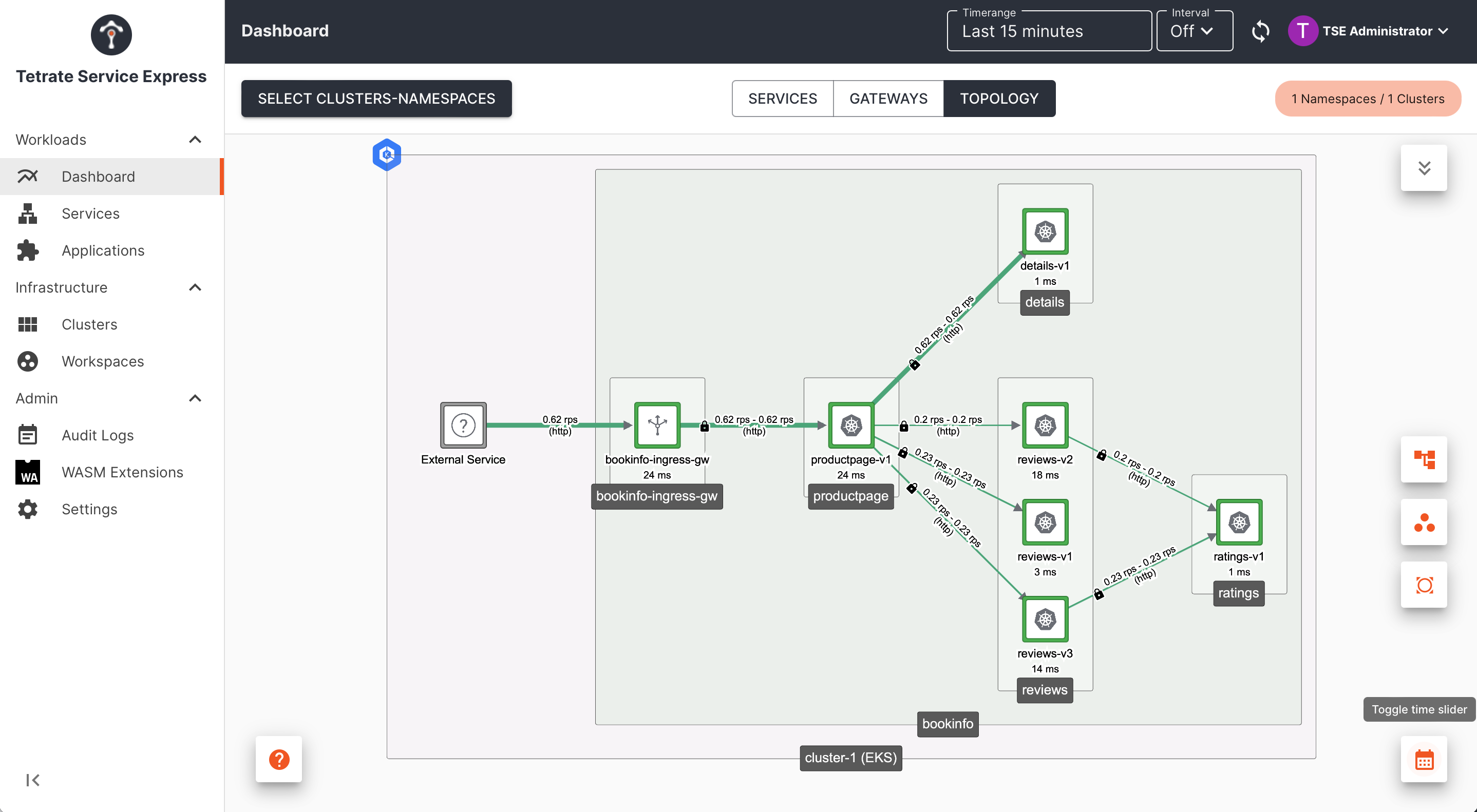 Exposing a service through a Gateway |
|---|
The Gateway Resource references the following resources, which should be provided by your administrator (the Platform Owner)
- Tetrate Organization tetrate, Tenant tetrate, Workspace bookinfo-ws and Gateway Group bookinfo-gwgroup-cluster-1
- Gateway name, located in bookinfo/bookinfo-ingress-gw
The following minimal example serves plain HTTP on port 80. The runbook's version adds TLS on port 443, which you should use in production. The highlighted lines contain the names of these resources:
cat <<EOF > bookinfo-gateway.yaml
apiVersion: gateway.tsb.tetrate.io/v2
kind: Gateway
metadata:
  name: bookinfo-gateway
  namespace: bookinfo
  annotations:
    tsb.tetrate.io/organization: tetrate
    tsb.tetrate.io/tenant: tetrate
    tsb.tetrate.io/workspace: bookinfo-ws
    tsb.tetrate.io/gatewayGroup: bookinfo-gwgroup-cluster-1
spec:
  workloadSelector:
    namespace: bookinfo
    labels:
      app: bookinfo-ingress-gw
  http:
    - name: bookinfo
      port: 80
      hostname: bookinfo.example.com
      routing:
        rules:
          - route:
              serviceDestination:
                host: bookinfo/productpage.bookinfo.svc.cluster.local
                port: 9080
EOF

kubectl apply -f bookinfo-gateway.yaml
This configuration is instantiated on the selected gateway. The gateway listens for incoming traffic (in this case, http traffic on port 80). Traffic with the host header bookinfo.example.com is then routed to your service bookinfo/productpage.bookinfo.svc.cluster.local, on port 9080.
Understanding Tetrate Gateways
Behind the scenes, the Tetrate Gateway Resource you applied will be processed by the Tetrate Management Plane in Tetrate's configuration hierarchy, and then used to create one or more Istio gateway objects:
kubectl get gateways.networking.istio.io -n bookinfo -o yaml
Use the full resource name because gateway is ambiguous: several resource types in the cluster share that name, including the Tetrate Gateway you just created.
The gateway object contains a selector which identifies the Gateway (an Envoy proxy pod) that should instantiate this configuration.
Tetrate Parameters
If you get any of the Tetrate parameters incorrect, the apply operation will be denied. You will receive an error message similar to:
Error from server: error when creating "bookinfo-gateway.yaml": admission webhook "gitops.tsb.tetrate.io" denied the request: computing an access decision: checking permissions [organizations/tetrate/serviceaccounts/auto-cluster-cluster-1#exHFFwuGQSCPQP941C4ilMZFWwmO4lJoTyQXKjAPHXk ([CreateGateway]) organizations/tetrate/tenants/tetrate/workspaces/bookinfo-ws/gatewaygroups/bookinfo-gwgroup]: target "organizations/tetrate/tenants/tetrate/workspaces/bookinfo-ws/gatewaygroups/bookinfo-gwgroup" does not exist: node not found
These four parameters (organization, tenant, workspace and gatewayGroup) correspond to Tetrate configuration created by the administrator (Platform Owner), and they define the location in the Tetrate configuration hierarchy where your Gateway Resource should be located.
Workload Selector
The workloadSelector stanza identifies the Gateway (proxy) on which this configuration should be applied. If any of these parameters are incorrect (they don't match a Gateway), the configuration will not be applied.
In the example above, you can find the Gateway as follows:
kubectl get pods -n bookinfo -l=app=bookinfo-ingress-gw
Inspecting the Gateway
The Gateway pod is deployed in one of the namespaces that are managed by your assigned Tetrate Workspace:
kubectl get gateways.install.tetrate.io -A
Inspect the Gateway configuration, and view the pod hosting the Envoy proxy:
kubectl describe gateways.install.tetrate.io -n bookinfo bookinfo-ingress-gw
kubectl describe pod -n bookinfo -l app=bookinfo-ingress-gw
Follow the logs, including real-time access logs:
kubectl logs -n bookinfo -l app=bookinfo-ingress-gw
Route 53 Synchronization
If the Administrator has configured AWS Route 53 synchronization, then the Tetrate integration will also automatically provision a Route 53 DNS name based on the hostname in your Gateway resource.
If you have permissions to access the istio-system namespace, you can follow the logs from Tetrate's AWS Controller:
kubectl logs -n istio-system -l app=aws-controller
Accessing the Service through the Gateway
If DNS is configured for you, you should be able to access the service directly:
curl http://bookinfo.example.com/
You can also determine the public address (IP or FQDN) of the Gateway and send traffic directly:
export GATEWAY_IP=$(kubectl -n bookinfo get service bookinfo-ingress-gw -o jsonpath="{.status.loadBalancer.ingress[0]['hostname','ip']}")

curl -s --connect-to bookinfo.example.com:80:$GATEWAY_IP \
    "http://bookinfo.example.com/productpage"